Nightwater Controls
You have no on-screen arms. The punch, the hologram, and the menu still need a bind.
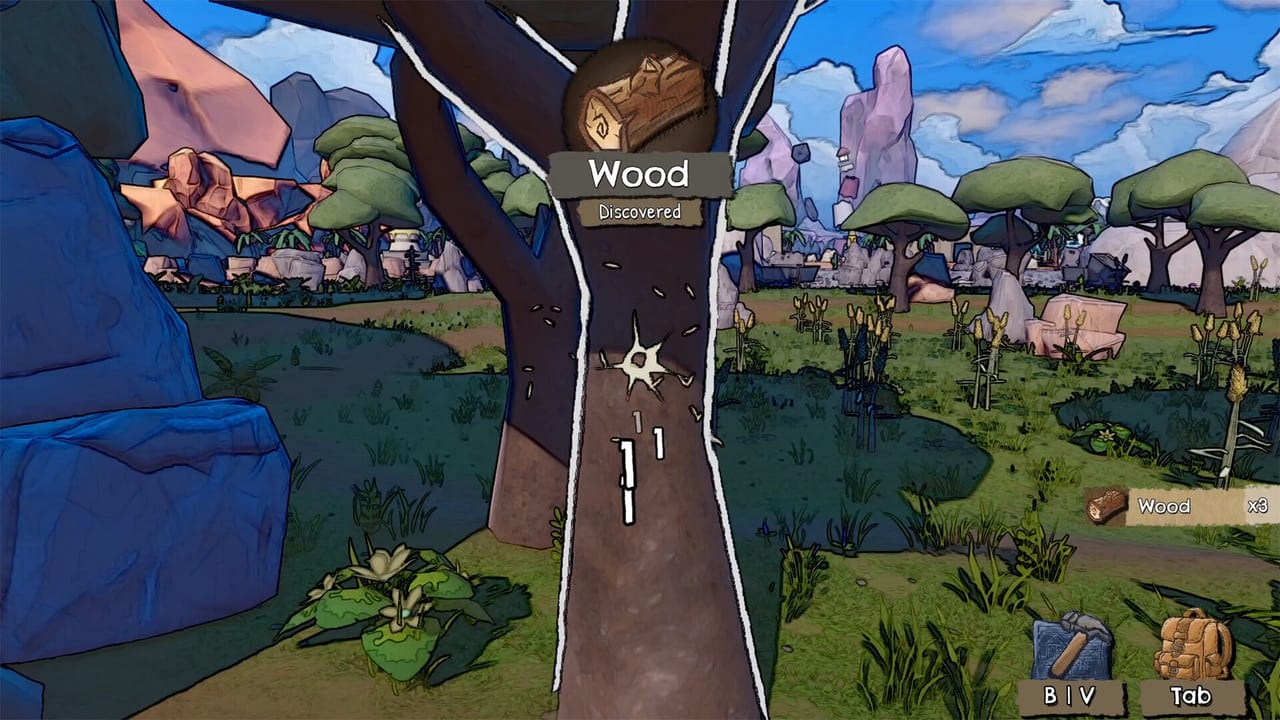
Nightwater is a first-person Unreal Engine 5 game with full controller support. You will not see a character model swinging. You will still need to walk, look, punch nodes, open craft parchment, and drop green holograms in build mode. This page is the control layer for the demo and for launch on 18 September 2026.
Studio Ashty has not posted a public keyboard wallpaper. Bindings below are the standard FPS + build layout players use in footage, plus store-listed accessibility. If your client differs, trust the in-game rebind screen.
Keyboard and mouse (typical)
- WASD — move. First-person, no sprint required for the starting island, though a sprint bind may exist.
- Mouse — look. Invert and sensitivity live in settings; use them. The trailer already made some viewers seasick.
- B (in several demo recordings) — open build mode / green hologram. Confirm on your rebind screen.
- Left click / hold — gather. You can hold to keep punching; playthroughs note it is slow compared with a harvester. That is the point. See automation.
- Craft / build keys — open the parchment craft UI and build hologram. Footage shows a dedicated build mode with a green outline; look for a “Build” bind in settings if Q/B/Tab does not open it.
- Interact — doors, barrels, minigame entrances (Dark Thicket), island expansion prompts.
- Menu / Esc — pause. The store lists save anytime and playable without timed input, so you are allowed to think.
Hold-to-gather is easy to miss. If you tap once per tree, you are playing the slow version of an already slow tutorial.
Controller
The Steam page lists full controller support. Post-playtest notes (March 2026) specifically promised better controller support, so a May–September demo should already include that pass. Expect:
- Left stick move, right stick look
- Right trigger gather
- Face buttons for interact / confirm hologram / cancel
- D-pad or bumpers for hotbars if the build uses them
If look-stick acceleration feels drunk on the void sea, lower stick sensitivity before you lower graphics. Camera comfort is a listed feature; turn it on.
Steam Deck is Unknown compatibility, but a full controller map is the prerequisite. Test the demo rather than assuming Verified. See system requirements.
Build mode without pain
Build mode is a hologram, not a grid you paint from the sky. You are still in first person.
- Face the node you want vacuumed.
- Spawn the green outline.
- Rotate until it sits inside the radius, not on the void lip.
- Confirm. Pipe next, not five decorative chests.
Because refunds are free, the “wrong” bind press is cheap. Drop it, pick it up, drop it again. Buildings explains what you are placing; this page is only how.
Accessibility binds and settings
From the Steam feature list:
- Adjustable text size (the parchment UI needs this on a 1080p couch).
- Camera comfort.
- Color alternatives (useful if milestone icons blur together).
- Custom volume (factory loops plus void ambience).
- Adjustable difficulty.
- Captions / subtitles for the lighthouse voice lines.
- No timed-input requirement.
If you came from a UI-heavy mobile game, Nightwater will feel naked. If you came from a shooter, it will feel slow. Rebind gather onto a comfortable mouse button; you will hold it a lot in hour one, then almost never after a harvester exists. Getting Started is the route that makes the hold-click obsolete.
Known awkwardness
A Steam discussion described the 3D world shifting to a different resolution while UI stayed locked, leaving a black bar and misaligned world. That is a display bug, not a “you missed a bind.” Toggle windowed mode, then verify GPU scaling.
You cannot share one island with a friend. Nightwater is single-player. A second pair of hands is not hiding in the settings menu.
Related
- System requirements if frames, not binds, are the problem.
- Minigames — Thicket still uses the same gather hold, with a different currency.
- Official links — Discord for “my interact key does nothing” reports.
Rebind early. The lighthouse will not do it for you.
Community threads from June 2026 still say a pad can move and gather while some menus want a keyboard. Keep keys in reach. If the demo will not boot or the HUD splits from the world, use troubleshooting.
Frequently Asked Questions
Quick answers to the most common questions.
Does Nightwater support controllers?
Yes. Steam lists full controller support, and a post-playtest update focused on improving it.
Can I hold the gather button?
Yes. Playthroughs confirm you can hold to keep punching. It is still slower than a harvester.
Can two people play on one PC?
No. Nightwater is single-player. It is single-player only.
The world does not line up with the HUD. Is that a control issue?
Usually a resolution bug. Switch windowed/borderless before rebinding keys. See system requirements.